Cursor
AI-native IDE built on VS Code.
Ground Truth verdict
Reviewed by Kamran Arshad. See how we evaluate · Updated 2026-06-05.
- Type
- Coding Tool
- Category
- coding
- Starts at
- Free
- Platforms
- Mac, Windows, Linux
- Launched
- Jan 2023
- Last reviewed
- 2026-06-05
The default IDE for AI-augmented coding work in 2026.
Cursor went from interesting experiment to default IDE for AI-augmented engineering in less than two years. Tab completion is in a different league than Copilot. Composer for multi-file edits keeps getting better. Background agents are starting to change how solo engineers work.
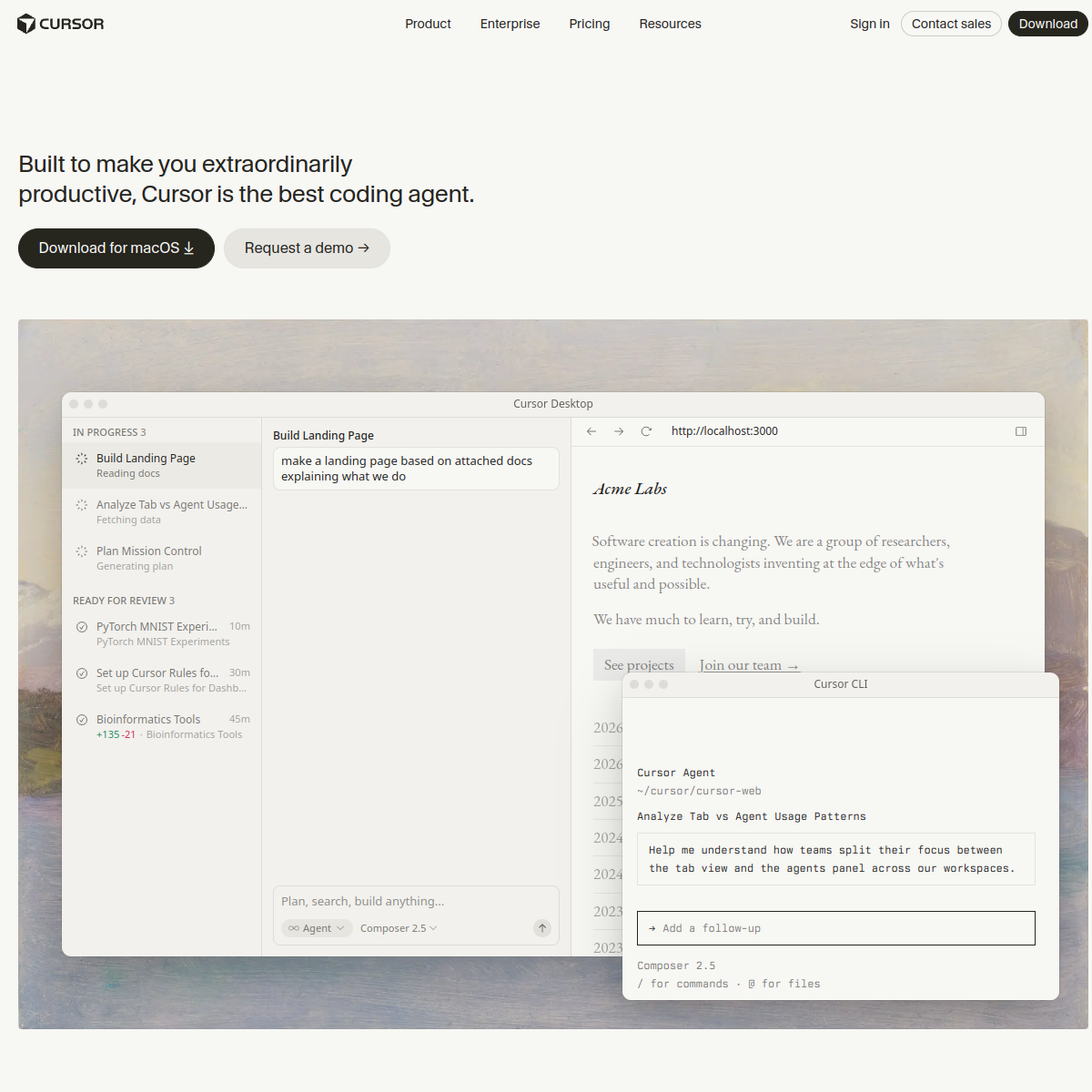
What Cursor actually looks like
Scroll inside the panel to see the full homepage. Live screenshot — updates as the product evolves.
Best for
- Engineers building with AI in the loop
- Solo developers
- Power users
Not for
- Engineers who hate AI in their workflow
- Pure Vim/Emacs users
What it actually does
Tab completion
Multi-line edit predictions that go far beyond Copilot's single-line suggestions. The headline reason to use Cursor.
Chat with codebase
Ask questions about your entire codebase, not just the open file. Context-aware answers with citations.
Composer / Agent
Multi-file edits from a single prompt. Plan, execute, review. Closest thing to a junior engineer on demand.
Background agents
Tasks that run autonomously while you work — refactors, test additions, doc updates.
VS Code compatible
Fork of VS Code. Your extensions, settings, themes all transfer over.
Custom models
Bring your own API keys (Anthropic, OpenAI). Use any model in the IDE.
What's new from Cursor
- Apr 2026
Background agents
Long-running autonomous tasks that work in parallel with your editing.
- Feb 2026
Composer v2
Multi-file editing with better planning and error recovery.
- Nov 2025
Tab v2
Substantially smarter tab completion. Predicts edits across files.
Composite of editorial review, hands-on testing, and reader-reported value. Each sub-score is rated 0–5 against Ground Truth's published criteria.
- Overall
- 4.7/5
- Output quality
- 4.7/5
- Utility & features
- 4.7/5
- Usability & UX
- 4.7/5
- Performance & reliability
- 4.7/5
- Cost vs. value
- 4.7/5
What it costs, by tier
- 50 slow Premium req/mo
- 2,000 completions/mo
- Limited tab/edit features
Working engineers.
- 500 fast Premium req/mo
- Unlimited slow Premium
- Unlimited completions
- Background agents
Teams.
- Everything in Pro
- Centralized billing
- Privacy mode default
- SSO, audit log
Ready to try Cursor?
There's a real free tier — you can test the verdict yourself in five minutes.
Outbound link may be tracked. See affiliate disclosure.